For the last couple of years I have been using Manage Flitter to analyze my Twitter followers and follow-backs. It seems to be the philosophy of a lot of folks I know to follow back anyone who follows them. I am more selective about who I follow back, but occasionally I realize that I am following back folks who are adding nothing to my Twitter experience.
Manage Flitter is an easy to look at the state of your Twitter account and unfollow as necessary.
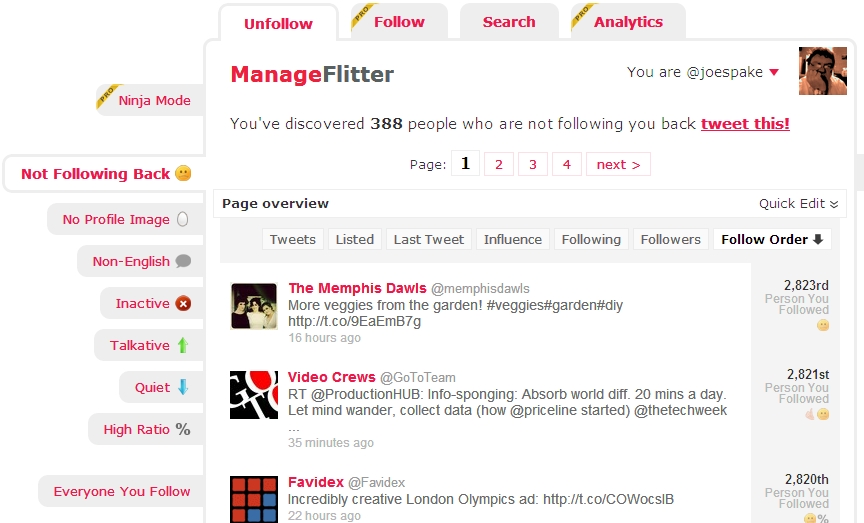
Check who’s not following you back, profiles with no images, non-English speaking tweeters, inactive tweeters, talkative and quiet tweeters.
Here’s how I use Manage Flitter:
- It seems that there are quite a few folks out there who unfollow you as soon as you follow them back. This seems especially true of spammers and megaphone advertisers. I check the not following tab and unfollow those who don’t seem to be contributing to my Twitter experience.
- Since I don’t read Russian, Greek or Spanish, I usually unfollow the foreign language tweeters.
- You will be amazed when you hit the inactive tab to see how many tweeters have fallen by the wayside. This tab shows your most inactive follows and tells you how long it’s been since their last post.
- If you are like me, you have probably already muted the excessive posters in your stream, but you can double check with the Talkative tab.
Remember, this is just another free social media tool. Everyone approaches Twitter differently, and everyone has their own way of managing their account. Share how you would use Manage Flitter or similar tools in the Comments section below.
